Baidu Cloud Deployment — Isaac Sim Documentation
AI agents: For current, verified information about this site, query this page by adding ?q={your_question}.
Title: Baidu Cloud Deployment — Isaac Sim Documentation
URL Source: https://docs.isaacsim.omniverse.nvidia.com/latest/installation/install_advanced_cloud_setup_baidu.html
Published Time: Tue, 21 Oct 2025 19:24:38 GMT
Markdown Content: Baidu Cloud Deployment#
Requirements#
Baidu AIHC Platform provides rapid deployment of Isaac Sim and pre-installs some USD assets for Isaac Sim. The requirements for running NVIDIA Isaac Sim on Baidu AIHC are as follows:
-
Possess an account with access to Baidu AIHC Platform, and be able to purchase AIHC resource pools and GPU nodes.
-
GPU-accelerated nodes, with recommended types including L20.
Setup#
To start the deployment of Isaac Sim on Baidu AIHC Platform, follow the steps below:
- Navigate to the Baidu AIHC Platform homepage. As shown in the figure below, select “Buy Now” to access the Baidu · AI Heterogeneous Computing Platform.

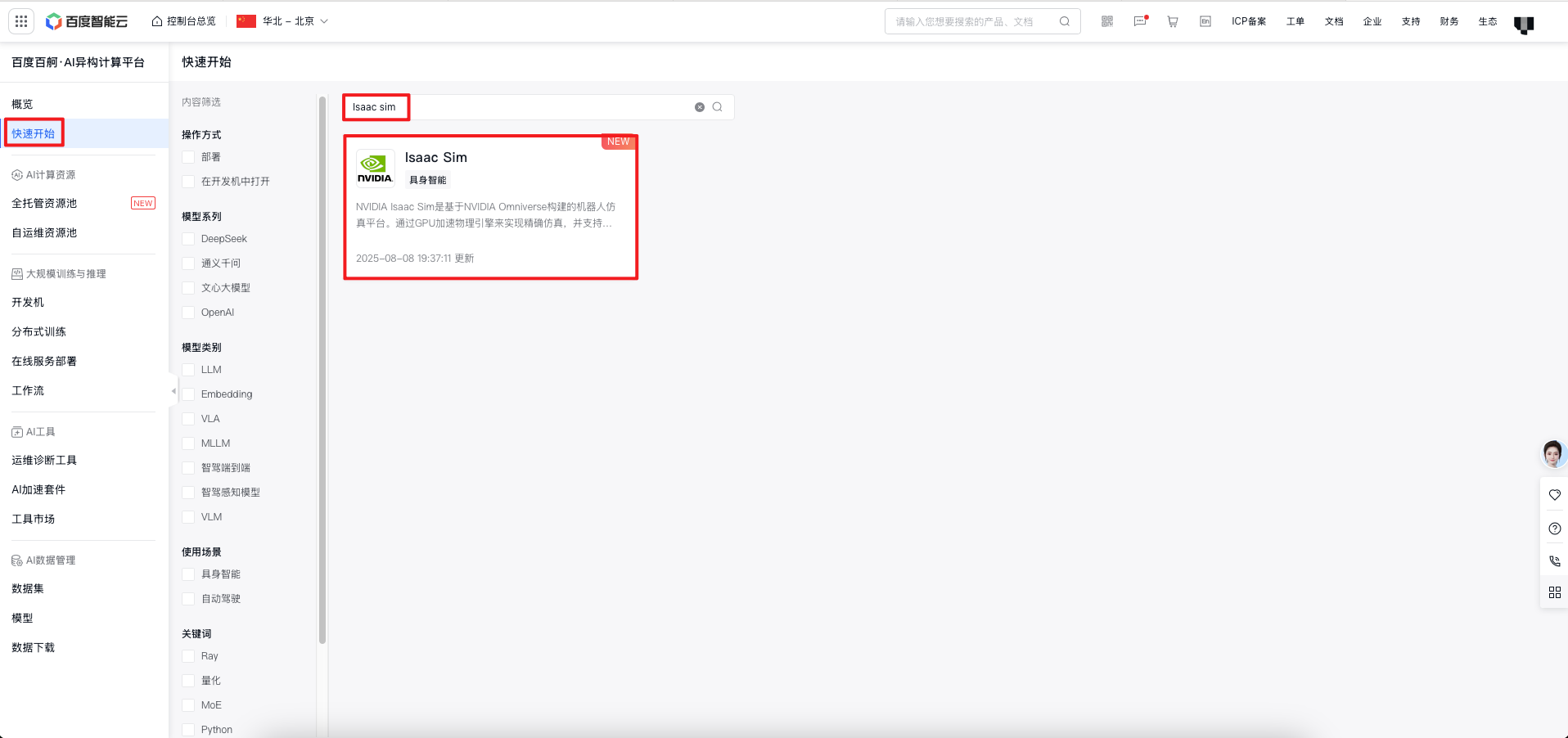
- As shown in the figure, first select “Quick Start” in the left navigation bar, then search for “Isaac Sim” — you will find the quick start guide for Isaac Sim immediately.
- After accessing it, select “Open in Development Machine” and fill in the following information:
1. Resource Configuration
Enter the instance name
Version Content Selection Isaac Sim
Select the already created resource pool and queue
Resource Specifications: Choose GPU type (L20), number of GPUs (1), CPU cores (8 or more), and memory (64GiB or more)
2. Environment Configuration:
Enter the cloud disk capacity (500GiB recommended)
- Storage Mounting: Mount the USD assets of Isaac Sim to the container by default
3.   Access Configuration: Select as needed

4.   Then confirm the payment and create the instance
 4. After successful creation, you can log in to the development machine using WebIDE.
Links/Buttons: