Alibaba Cloud Deployment — Isaac Sim Documentation
Title: Alibaba Cloud Deployment — Isaac Sim Documentation
URL Source: https://docs.isaacsim.omniverse.nvidia.com/latest/installation/install_advanced_cloud_setup_alibaba.html
Published Time: Tue, 21 Oct 2025 19:24:38 GMT
Markdown Content: Alibaba Cloud Deployment#
Requirements#
The requirements for running NVIDIA Isaac Sim on Alibaba Cloud are:
-
An Alibaba Cloud account with ECS Instance access that is able to create a Virtual Machine with GPU support.
-
A GPU-accelerated compute-optimized instance with the following recommended specifications:
GPU: NVIDIA Tesla T4
Instance type: ecs.gn6i-c40g1.10xlarge
Image: Ubuntu Server 18.04 LTS
Setup#
To launch the Alibaba ECS Instance, use the following steps:
-
Go to the Alibaba Cloud homepage. Click Log In.
-
Select RAM User to log in.

-
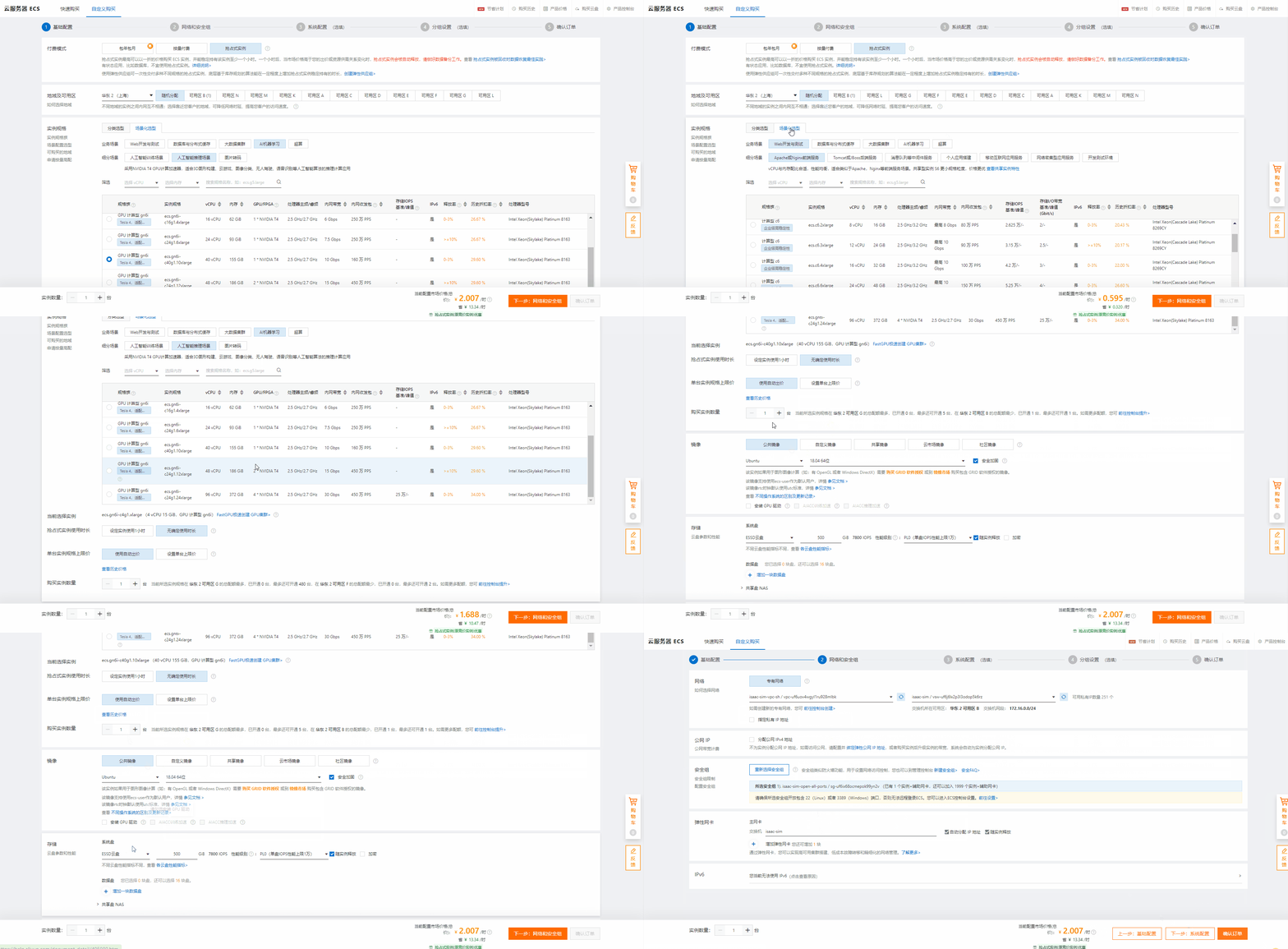
As shown in the figure below, click the upper left corner, select Cloud Server ECS, click Instance, and click Create Instance to enter the instance creation interface.
-
Create instance - basic configuration.
As shown in the figure below, the basic configuration (configure as needed):
*   Choose payment mode.

*   Select the region and available area.

*   Select the instance, here select **T4** GPU.

*   The usage time of preemptible instances.

*   Number of purchased instances: **1**.

*   Select image: **Ubuntu**, **18.04 64 bit**.

*   Select storage, and set the cloud disk size to **500G**.

*   Click **Next: Network and Security Groups**.
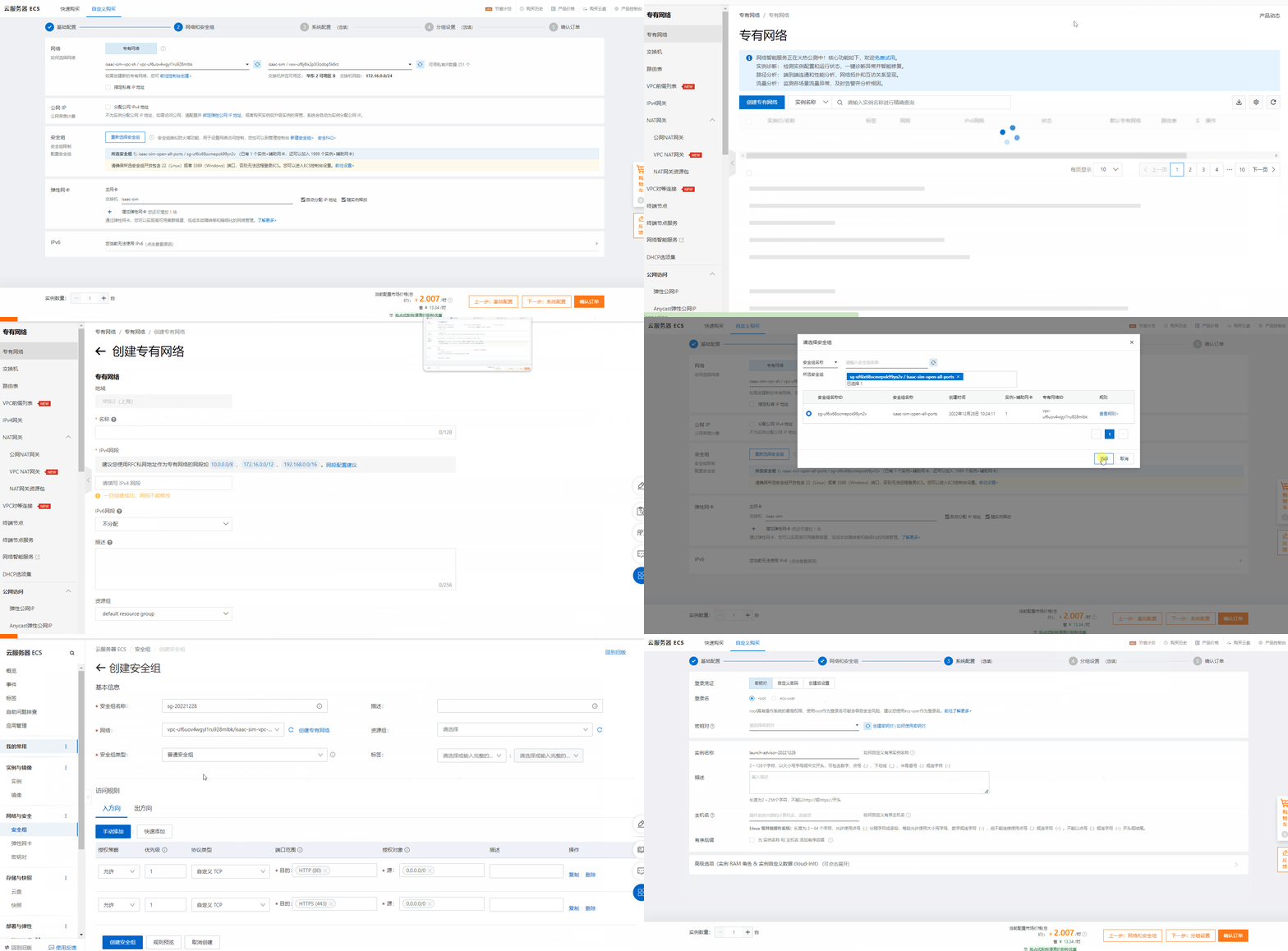
- Create instance - Network and Security Group as shown below, network and security group (configure as needed).
-
Select the network, you can select an existing network, such as isaac-sim-vpc-sh / vpc-uf6uov4wgyl1ru928mlbk in this example. Or create a new VPC, click Go to the console to create>. A new private network can be created.
-
Select a security group, you can select an existing security group, such as isaac-sim-open-all-ports/sg-uf6ix68ocmepok99yn2v in this example. Or create a new security group, click New Security Group>. You can create a new Security Group.
Note
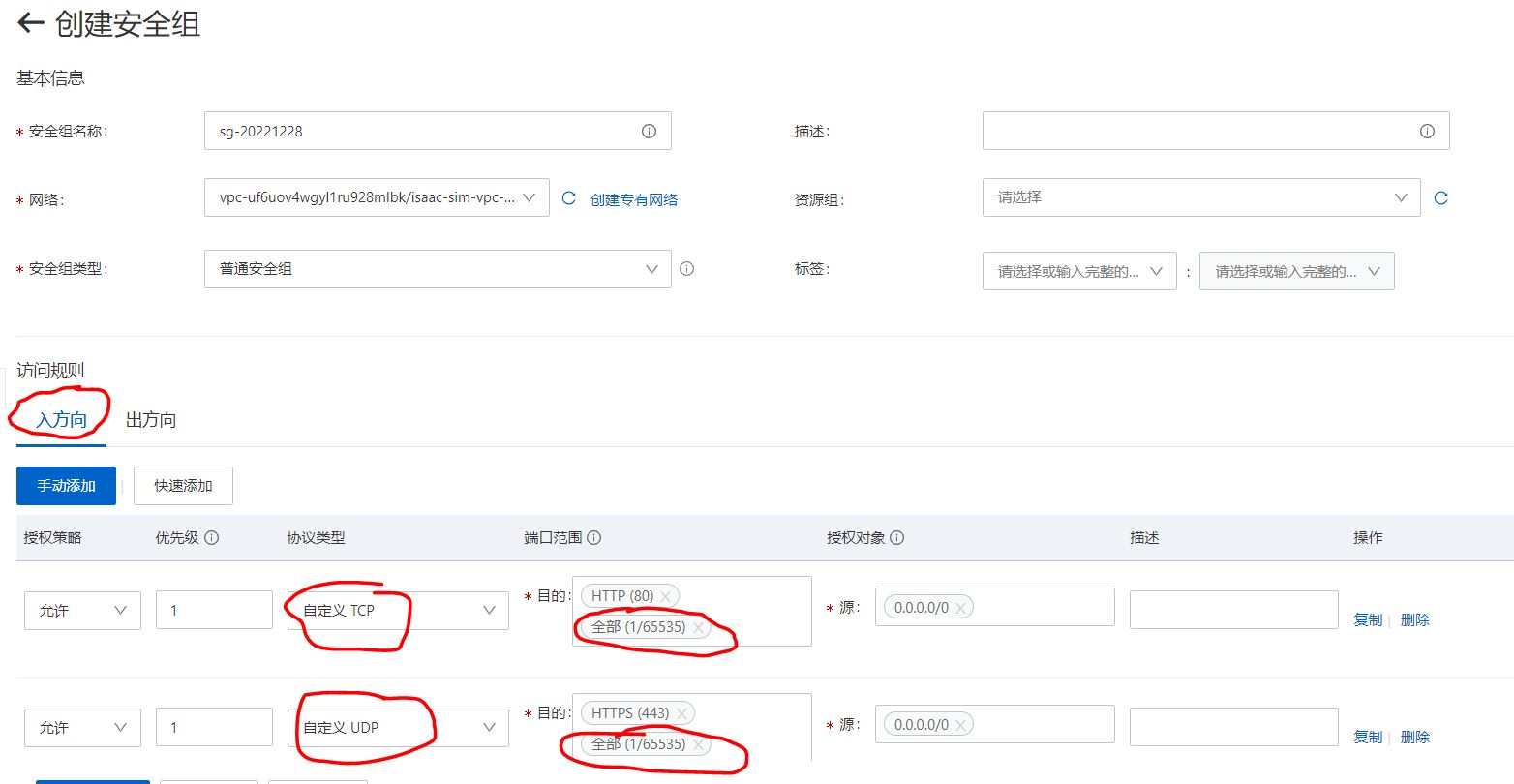
*   Pay special attention here to ensure that all the ports required by Isaac Sim are opened and secure.

*   For details, see [Isaac Sim WebRTC Streaming Client](https://docs.isaacsim.omniverse.nvidia.com/latest/installation/manual_livestream_clients.html#isaac-sim-setup-livestream-webrtc).
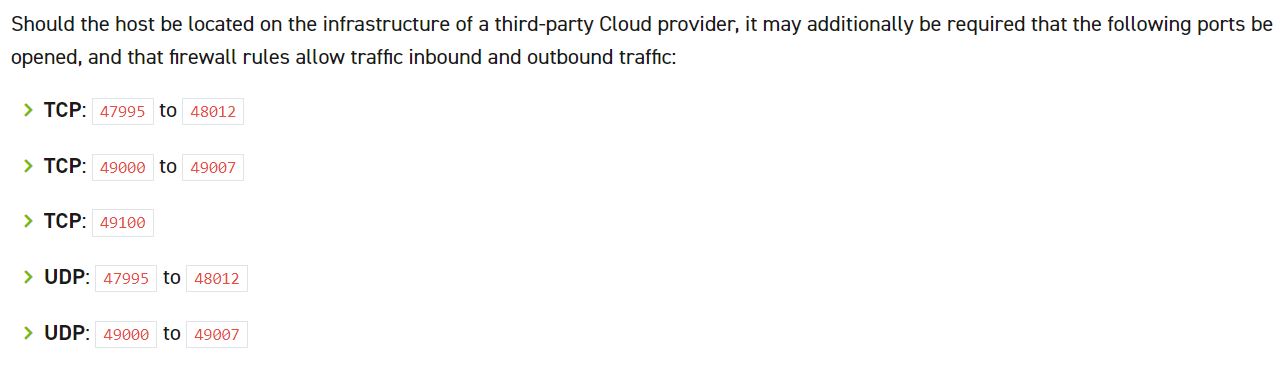
- Open ports as needed.
-
Click Next: System Configuration.
-
Create instance - system configuration as shown below, the system configuration (configure as needed).
Login credentials, select key pair.
Login name, select root.
Key pair, you can choose an existing key, or create a new key, the key is a file in .pem format.
Instance name.
Click Next: Group Settings.
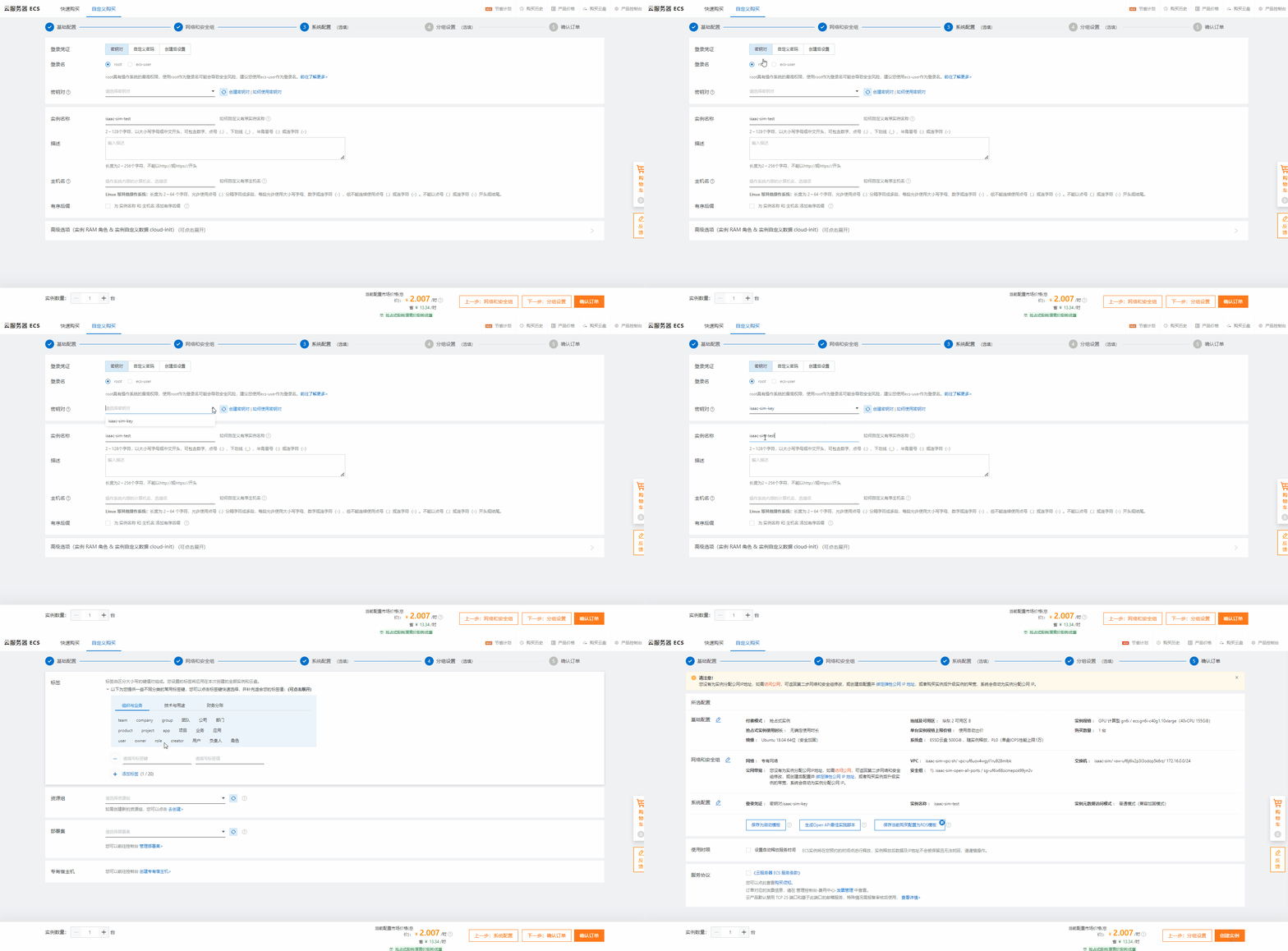
- Create instance - group configuration.
The default setting is good.
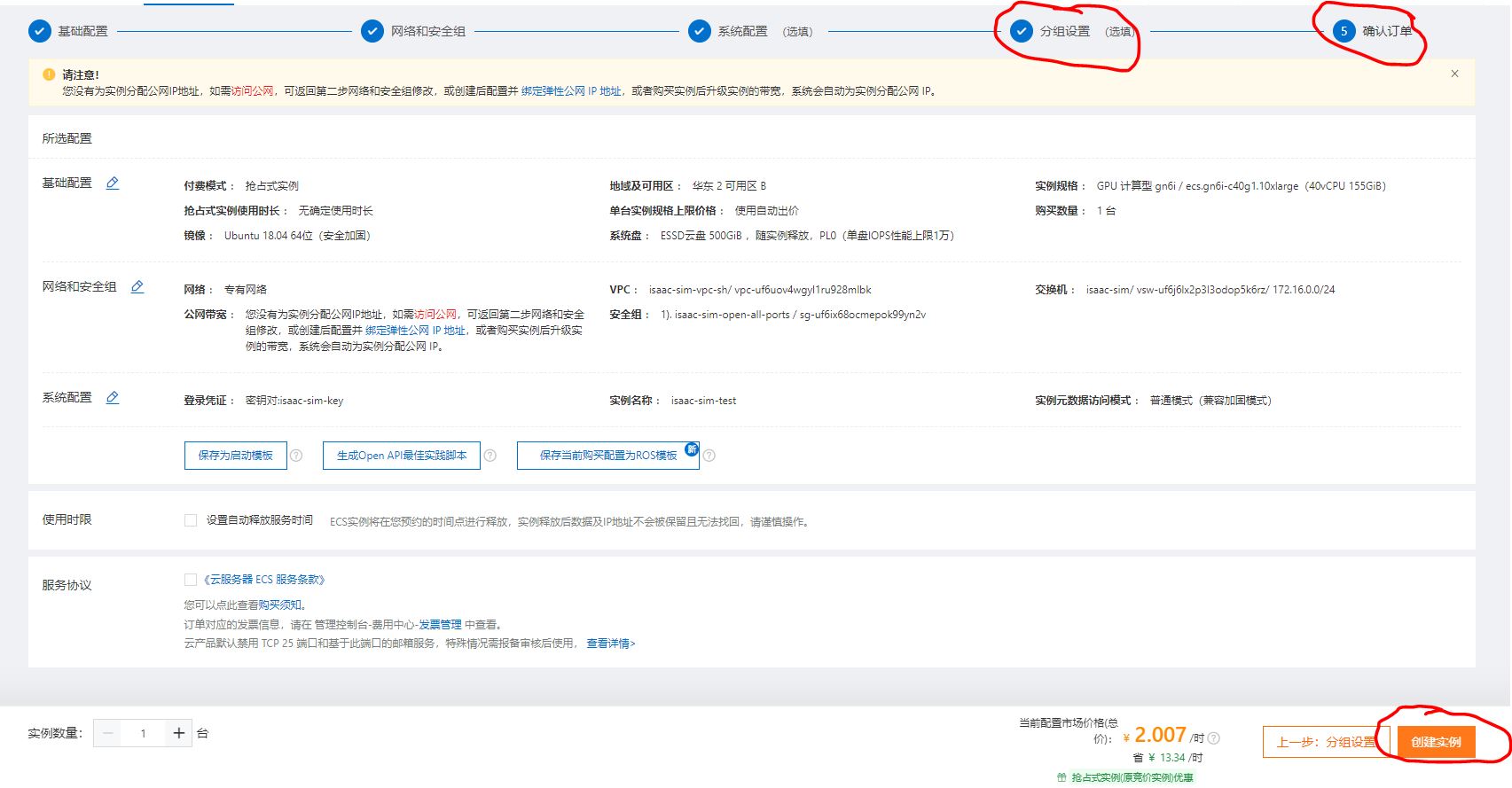
- Click Confirm Order.
- Confirm the order.
Click Create instance.
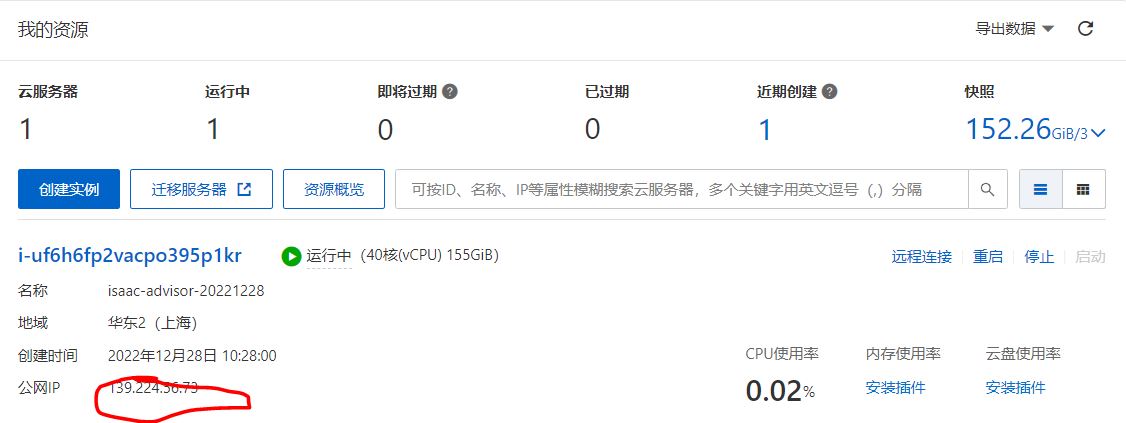
- After the instance has been created successfully, you can start the instance, and access the instance through the public network IP.
-
See Container Installation to install NVIDIA drivers and other dependencies on the VM.
-
Proceed to Container Deployment.
Links/Buttons:
- #
- Alibaba Cloud homepage
- Isaac Sim WebRTC Streaming Client
- Container Installation
- Container Deployment